Connect via MCP
Connect an AI client to this site's live, searchable writing and public data through MCP.
Let your AI read this site — posts, pages, everything — live, not from training data.
https://varunchoraria-mcpvercelapp.vercel.app
What to ask once connected
- "What's Varun's take on AI-first GTM strategy?"
- "Summarise his notes on management and team leadership."
- "What tools and software does he use day to day?"
- "What's his most recent post about?"
- "What side projects has he shipped with AI?"
See it in action
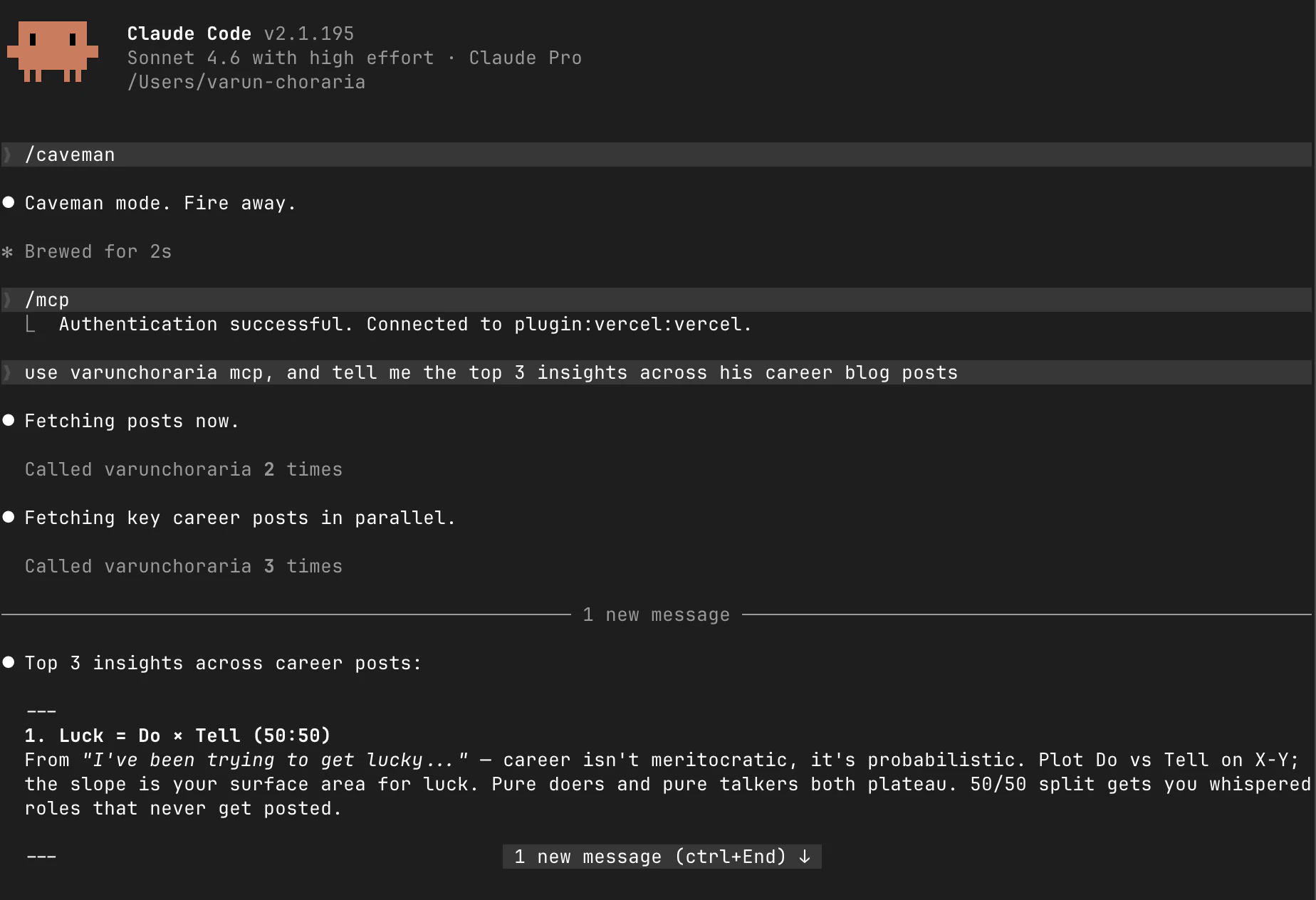
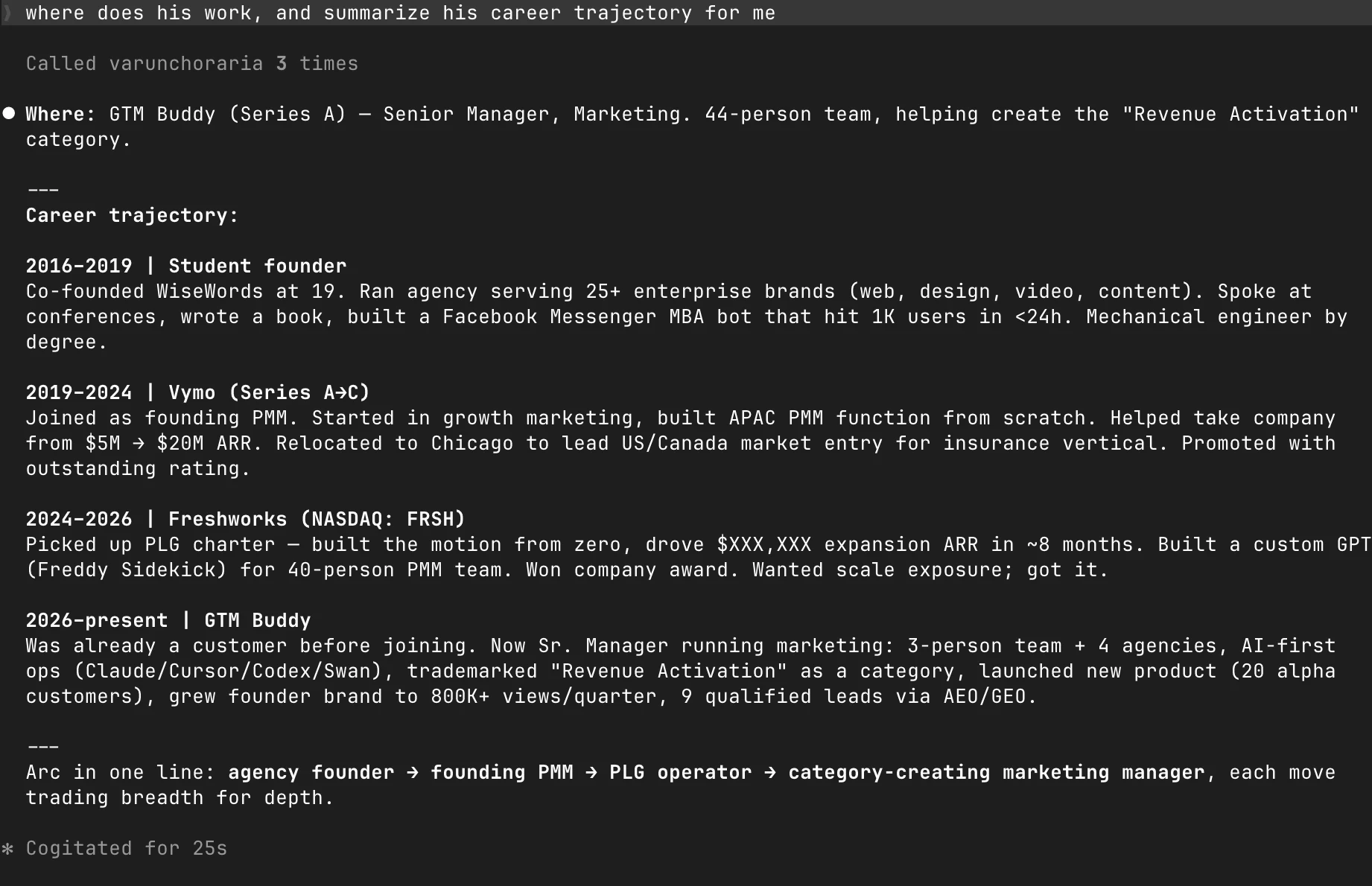
Real Claude Code sessions using the MCP server — no copy-pasting, no manual context.
How this is different from Ask Claude / Ask ChatGPT
The "Ask Claude" and "Ask ChatGPT" buttons on this site open a web chatbot with a pre-typed query. That's useful for a quick introduction — but those AIs draw on training data, which has a cutoff date and doesn't include recent posts or pages added after their last training run.
MCP is for a different use case. When you wire up an AI agent in Cursor or Claude Code, it gets live read access to everything on this site — content published today included. Instead of the AI guessing at what I've written, it reads the actual text directly. The result is more accurate, more recent, and fully cited.
Use the chatbot buttons for discovery. Use MCP when you're doing real work — building something, writing a brief, doing research — and want my writing as active context in your workflow, not a vague memory from training.
Why this exists
Personal websites are dark matter to AI. Most models have a knowledge cutoff, don't index small personal sites deeply, and go stale fast. Ask a chatbot what I've written about B2B go-to-market strategy and it'll give you a generic answer — not the specific frameworks and cases I've actually published.
MCP is the protocol that fixes this. By running a small server that speaks MCP, any compatible AI agent can access what's here in real time. No copy-pasting, no RAG pipeline, no stale embeddings. The content updates automatically whenever I push new writing — the server always reads from the live site.
This is also an experiment. I'm interested in what it looks like when a personal site becomes a first-class data source for AI agents, not just a URL to paste into a chat window.
How it stays current
There is no crawler and no copy of this site sitting in a database somewhere. Every publish rebuilds a single feed at /api/site.json holding the full text of every post and page, and the server reads that feed live, refreshing at least every 5 minutes. Publish something now and an agent can read it within the same coffee break.
The failure mode I actually worried about was quieter: a new page that forgets to opt in, still visible to humans, invisible to agents. So the build compares the sitemap against the feed and fails the deploy if any public URL is missing or exposes no content. If you can reach a page in a browser, an AI client can read it.
If the site is ever down, the server keeps serving its last good copy rather than erroring. Check what it currently sees, including when the site was last built.